
Reviews
The Content Creator’s Cheat Sheet: The ultimate Tool To Turn Text into Viral UGC Videos


We are living through the single noisiest era in human history. If you are trying to get attention online, you already know this. Most of us have plenty of ideas. We have notes apps full of half-baked concepts. This is where the new wave of AI video tools comes in. We aren’t talking about the tools that make weird, shifting cartoons. We are talking about practical tools that build UGC Videos. This style—User Generated Content—is the currency of the modern internet because it feels real. It converts.
I spent the last week digging into the current landscape of these tools. I wanted to find something that didn’t just “help” with editing but actually took the wheel. That search led me to Vmake video editor. It is a platform that combines generation, editing, and enhancement in a way that actually reflects how marketers work today.
The Shift: Why Text-to-Video is the New Standard
For a long time, “text-to-video” was a gimmick. You would type in “cat eating pizza” and get a terrifying, morphing blob. That has changed. The technology has matured to a point where it is actually useful for business.
The goal isn’t to replace Hollywood movies. The goal is to fill your content calendar. The best tools right now act like a creative partner. You give them the script or the concept, and they handle the visual assembly.
1. Vmake AI: The All-in-One Powerhouse
When you look at the market, most tools do one thing. One tool removes backgrounds. Another generates voiceovers. A third one up-scales quality. You end up with five different subscriptions and a download folder full of mismatched files.
Vmake stands out because it consolidates these problems into one dashboard. The interface is dark and minimal. It doesn’t scream “tech product.” It creates a space where you can focus on the output.
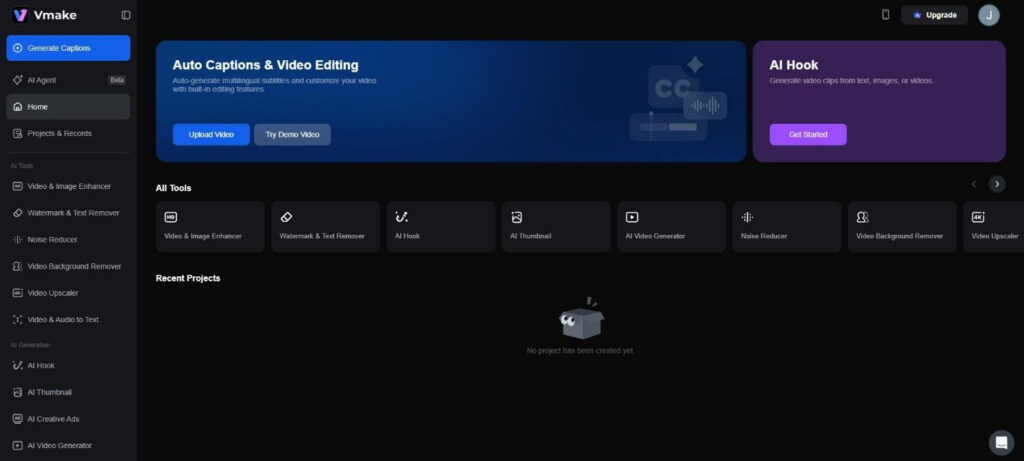
The Star Feature: Vmake Agent
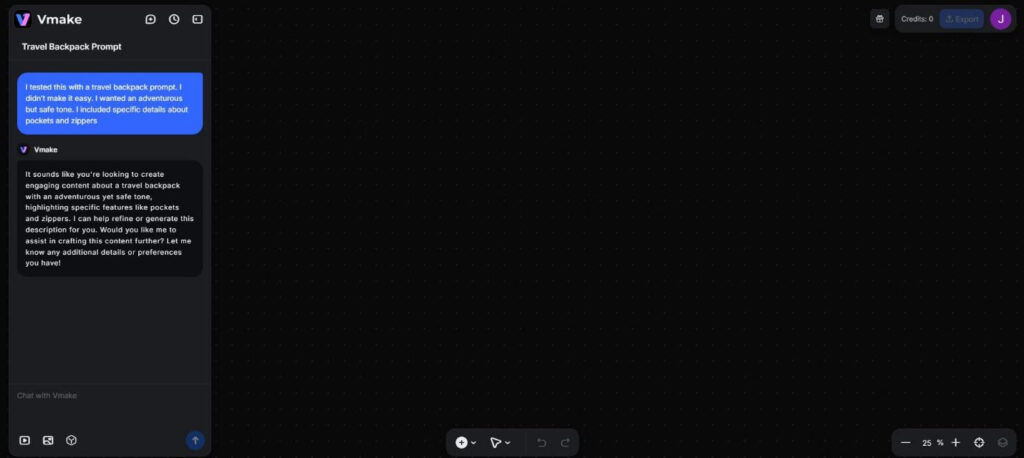
This is the feature that changes the workflow. The Vmake Agent (currently in beta) is designed to take a raw text prompt and turn it into a publish-ready video.
I tested this with a travel backpack prompt. I didn’t make it easy. I wanted an adventurous but safe tone. I included specific details about pockets and zippers.
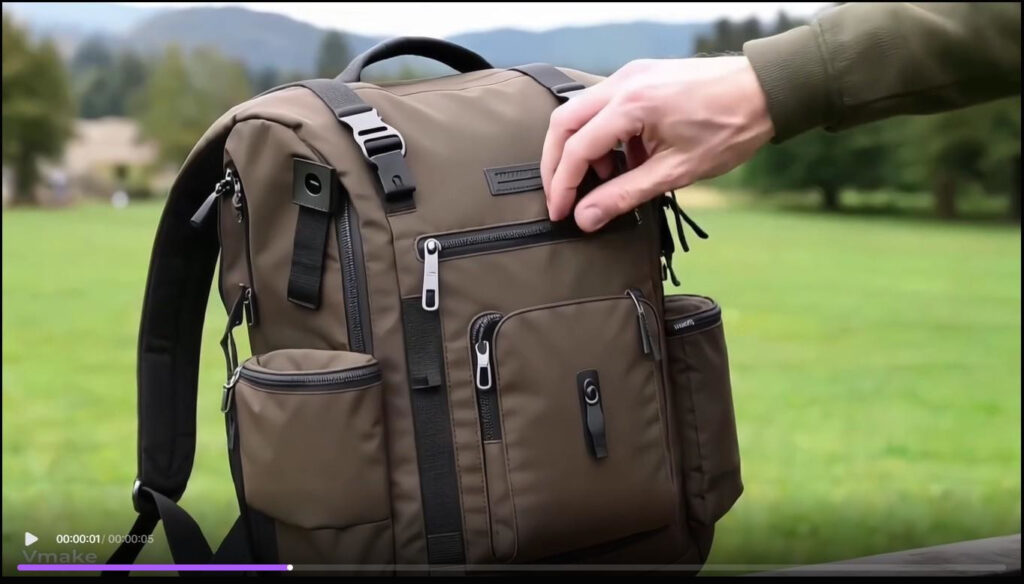
Then, it matches visuals. This is critical for UGC Videos. The footage it selected didn’t look like high-gloss TV ads. It looked like clips filmed by real travelers. It showed hands zipping up compartments. It showed the bag sitting on a hostel bunk. This grounded aesthetic is exactly what performs well on social media.
The voiceover generation was the final piece. The cadence was natural. It had pauses. It didn’t sound like a GPS giving directions. It sounded like a narrator sharing a tip.
2. The Art of Repurposing: Video Watermark Remover
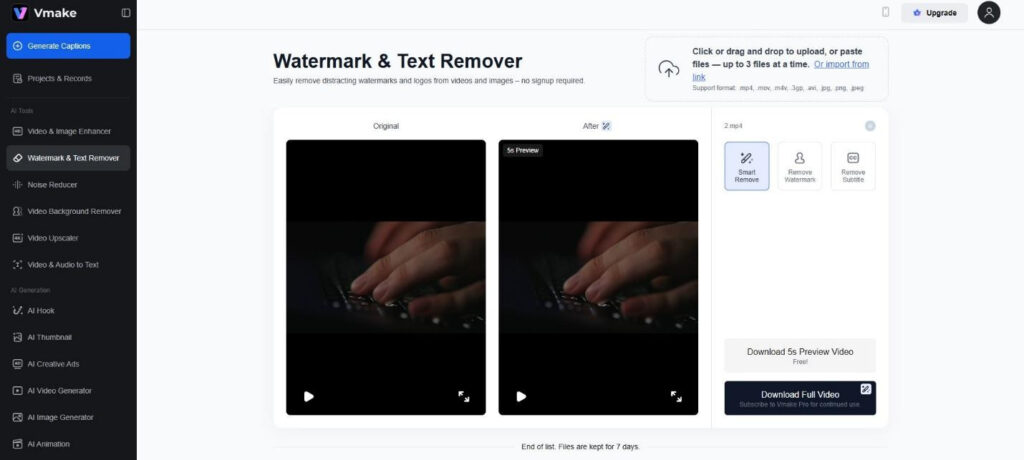
The smartest marketers know that the real money is made in repurposing. You take a video that did well on TikTok, and you post it to Instagram Reels and YouTube Shorts. Downloading a TikTok video with its watermark can kill your reach on Instagram. Vmake includes a specialized Video Watermark Remover tool. I tested this on a clip I had saved from a previous campaign. The watermark was right over a complex background—a brick wall. Usually, removal tools just blur this out, leaving an ugly smudge that makes the video look edited.
3. Cleaning the Slate: Video Text Remover
Sometimes you have the perfect video, but it has burned-in captions from an old edit. Maybe the text is in the wrong language. Maybe it has a typo. Maybe the font just looks dated.
The “Video Text Remover” in the Vmake suite handles this specific annoyance. I uploaded a product demo that had hard-coded prices on the screen. The prices were from last year, so the video was useless. I used the remover tool to wipe the text. It gave me back a clean video file. I was then able to use the editing tools to add the new, correct pricing.
This capability saves footage that would otherwise be trash. It allows you to keep using your best visual assets for years, just by updating the text overlays.
4. Fixing the Quality: AI Video Enhancer
We don’t always film in 4K. Sometimes the best moment happens when the lighting is bad. Sometimes a customer sends you a testimonial video that was compressed by WhatsApp until it looked like a potato.
Trust is linked to resolution. If a video is pixelated, viewers assume the business is sloppy.
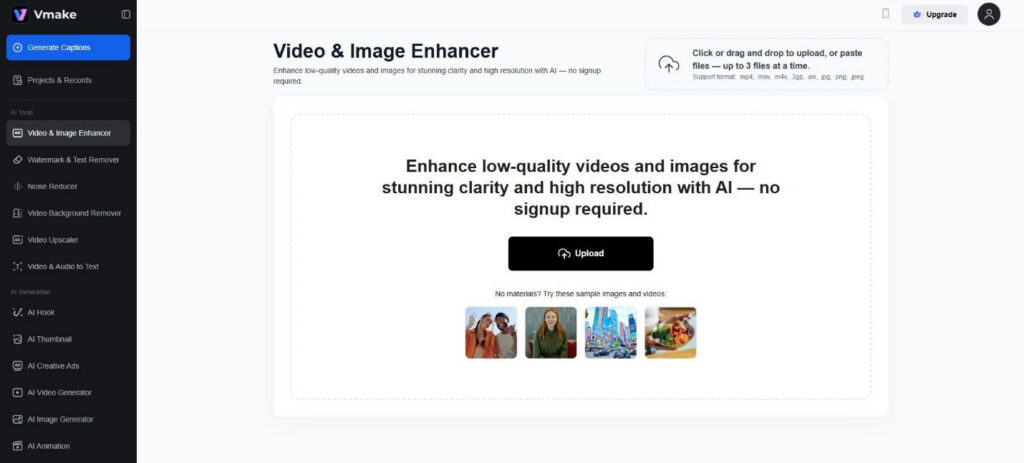
The AI Video Enhancer is a rescue tool. I ran a grainy, low-light clip through it. The AI upscaled the resolution. It sharpened the edges of the subject. It reduced the visual noise in the shadows.
For a brand trying to maintain a premium image while using user-generated content, this is essential. It bridges the gap between “amateur” and “authentic.”
5. The Psychology of the Hook: AI Hook Generator
You have three seconds. That is the rule of the internet. If you don’t stop the scroll in three seconds, you are gone.
Vmake has a feature specifically for this called “AI Hook.” It analyzes trending patterns and suggests opening lines and visual concepts that trigger curiosity. I used it to generate hooks for a coffee brand. Instead of just saying “Buy our coffee,” it suggested angles like “Stop drinking burnt beans” or “The mistake you make every morning.”
These are “pattern interrupts.” They force the brain to pay attention. Having a machine generate these options breaks you out of your creative rut.
6. The Silent Majority: Auto Captions
Posting a video without captions misses half your audience. People watch videos in bed or in meetings. Many also watch in public with the sound off. Vmake includes an “Auto Captions” feature that is integrated directly into the editor. It transcribes the audio and syncs the text. The accuracy during my test was high. It handled fast speech well.
How to Build a Workflow with These Tools
The magic happens when you chain these features together. You don’t just use one; you use the whole ecosystem to build a content engine.
Step 1: The Raw Idea. Start with the Agent. Input your product details or your daily thoughts. Let the AI generate the baseline video. This gives you a “rough draft” that is 90% complete.
Step 2: The Polish Take that generated video and look at it critically. Is the resolution sharp enough? If not, run it through the Enhancer.
Step 3: The Customization. Maybe the stock footage the Agent chose has a small logo on a shirt you don’t like. Use the Watermark Remover to clean it up.
Step 4: The Final Layer Use the Auto Caption tool to ensure accessibility. Add your brand colors to the text.
Step 5: Publish and Test. Because this process is fast, do it again. Change the prompt slightly.
Final Verdict
There are plenty of tools out there. Some are flashy, some costly, and some need a supercomputer to run. Vmake strikes a balance that is rare. It fixes issues like bad lighting and watermarks. It’s easy to use while your coffee brews.
Business owners, dropshippers, and personal brands will benefit. Stop doing everything by hand. The tools exist to help you. The “AI Agent” feature is a glimpse into a future where the barrier to entry for video creation is basically zero. Stop overthinking the edit and start publishing.


Magnitude 3.7 earthquake rattles Kansas, strongest in state this year

Jimmy Kimmel extends contract with ABC through 2027

Death toll rises to 13 in riot at Ecuador’s Machala prison

UK identifies new recombinant mpox strain in traveler returning from Asia
-

 Health6 days ago
France confirms 2 MERS coronavirus cases in returning travelers
-

 Health1 week ago
8 kittens die of H5N1 bird flu in the Netherlands
-

 Entertainment6 days ago
Joey Valence & Brae criticize DHS over unauthorized use of their music
-

 US News3 days ago
Magnitude 7.0 earthquake strikes near Alaska–Canada border
-

 Legal1 week ago
15 people shot, 4 killed, at birthday party in Stockton, California
-

 US News1 week ago
Fire breaks out at Raleigh Convention Center in North Carolina
-

 Legal5 days ago
Woman detained after firing gun outside Los Angeles County Museum of Art
-
 Health7 days ago
Ethiopia reports new case in Marburg virus outbreak