
Reviews
Creating Visuals That Match Your Brand Consistency

A brand’s visuals are only as strong as their weakest link. One lifestyle shot with slightly warmer tones, one product photo with a different grain, and the whole set starts to feel like it came from three different photographers. Seedream 5.0 Pro was built with that problem in mind, carrying a consistent look across a full set of images instead of forcing you to redescribe the style with every new prompt.
With Dreamina, staying on-brand stops being a manual checklist and becomes part of how the images get made.
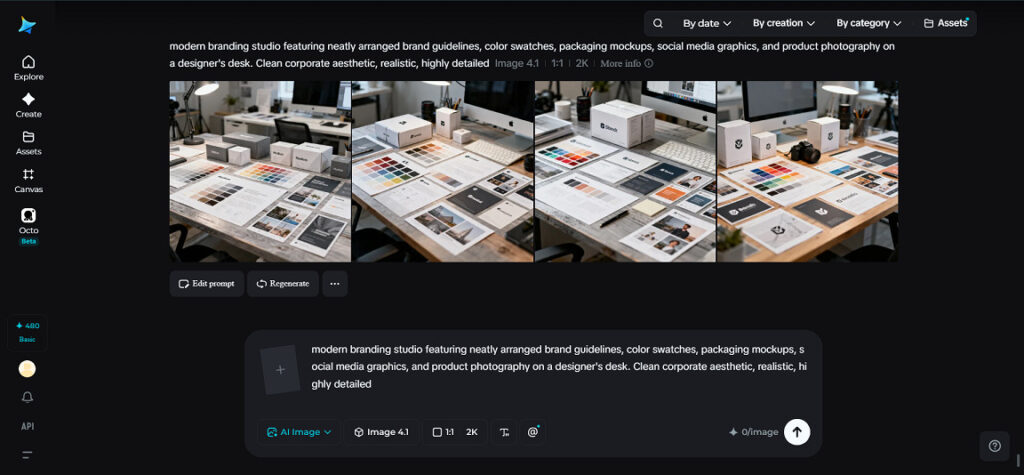
Why brand consistency breaks down so easily
Most AI tools treat every prompt as a fresh start. Ask for three lifestyle shots of the same product, and each one might come back with a different color temperature, a different grain, or a slightly different mood. None of them are wrong on their own, but side by side they don’t read as one campaign. Seedream 5.0 pro solves this by carrying reference details forward, so a palette or grain established in one image stays consistent across the rest of the set.
What stays consistent across a set
A few specific elements matter most when it comes to keeping a brand feeling like one cohesive identity:
- Color palette and tone, so warm shots don’t drift cooler halfway through a set
- Grain and texture, so images don’t feel like they came from different cameras
- Lighting style, so shadows and highlights behave the same way in every shot
Holding these steady across multiple images is what separates a real campaign from a loose collection of on-brand-ish photos.
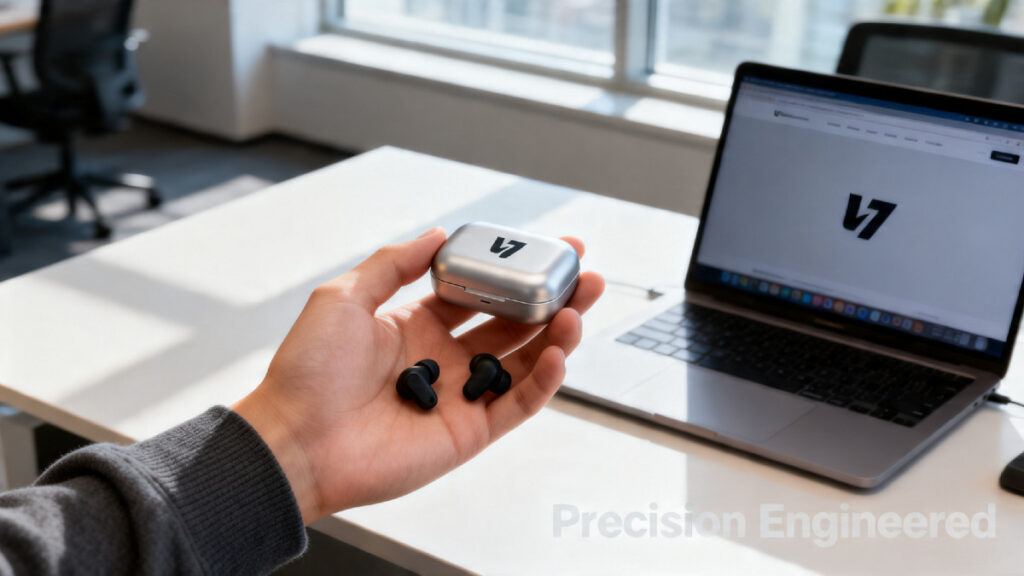
Extending brand consistency into motion with Seedream 5.0 pro
Brand identity doesn’t stop at stills anymore. Seedream 5.0 pro takes a finished, on-brand image and extends it into a short clip, carrying over the same palette, grain, and lighting that made the original photo feel like part of the brand in the first place.
Because Seedream 5.0 pro already holds a consistent look across a set of images, Seedream 5.0 pro has a stable identity to animate instead of reinterpreting the brand’s style from scratch for video. A product’s color, the grain in the background, and the overall mood carry through cleanly, so the video doesn’t feel like a separate asset from the photography it’s paired with.
This is especially useful for brand teams producing content across formats, a lifestyle photo for the website, a matching clip for social media, both needing to feel like the same shoot. A consistent still from Seedream 5.0 pro gives Seedream 5.0 pro exactly what it needs to keep that identity intact in motion.
Once the look is locked in, actually producing a full set is fast. Here’s how to use Seedream 5.0 Pro to build brand-consistent visuals inside Dreamina, in three simple moves.
Your on-brand visuals in three easy moves
Step 1: Write a text prompt
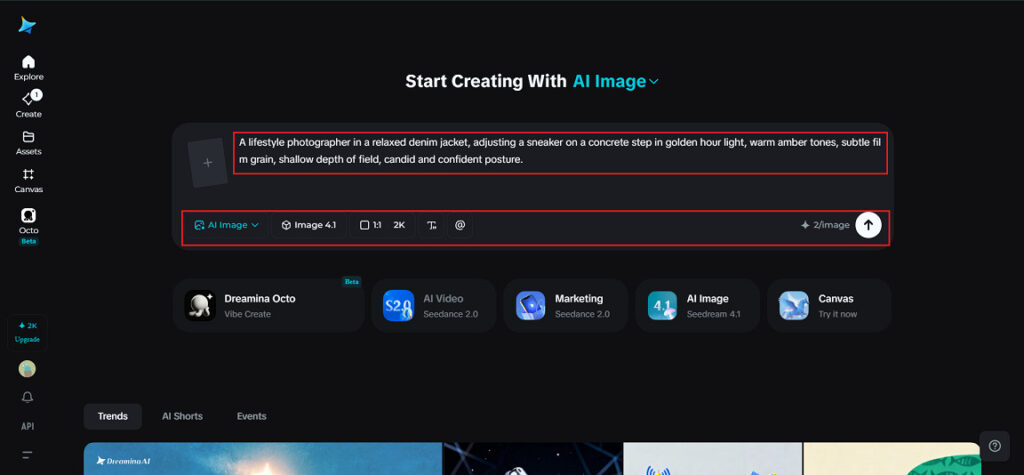
Open Dreamina and write a detailed prompt describing your scene.
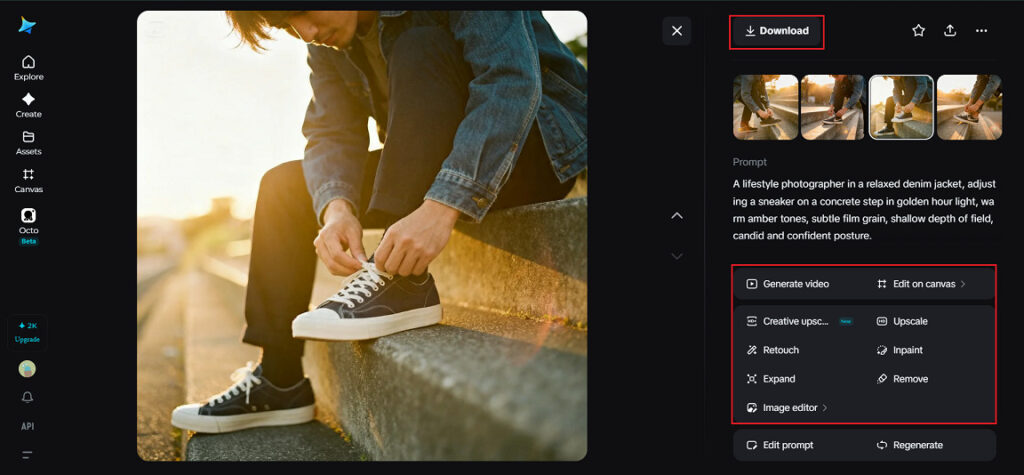
Since brand visuals often center on a person representing the product, try something specific: A lifestyle photographer in a relaxed denim jacket, adjusting a sneaker on a concrete step in golden hour light, warm amber tones, subtle film grain, shallow depth of field, candid and confident posture.
Naming the tone and grain directly in the prompt gives the model a clear reference point to repeat across future shots.
Step 2: Adjust parameters and generate
Before generating, set your parameters. Choose Seedream 5.0 Pro as your model, pick an aspect ratio that fits your platform, set your size, and choose a resolution — 1k for a quick concept check, 2k when the image needs to hold up across a full campaign rollout. Once your settings are ready, click Dreamina’s generate icon to produce your first image.
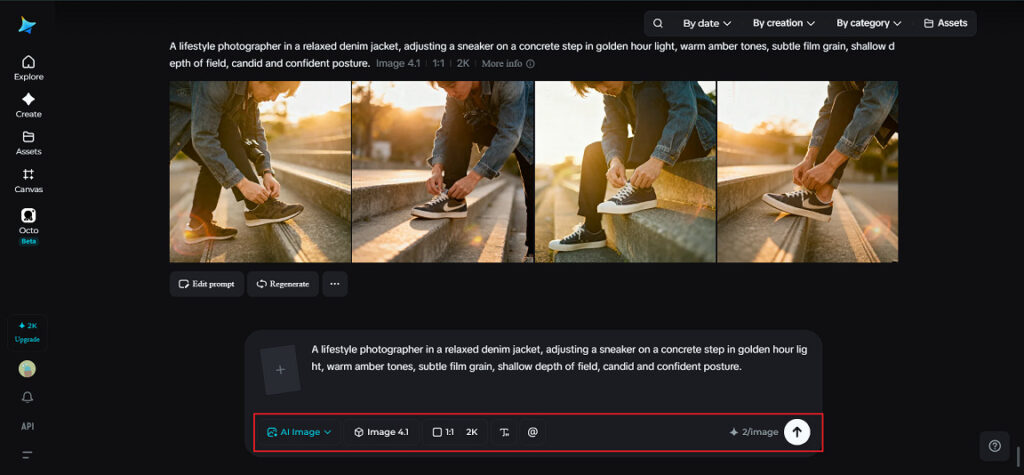
Step 3: Customize and download
Once your image renders, refine it using Dreamina’s AI customization tools. Inpaint adjusts small details without disturbing the established look, expand widens the canvas if the composition needs more room, remove clears out anything distracting, and retouch polishes the final result. When it’s ready, click the “Download” icon to save your finished visual to your device.
Checking a set before it goes out the door
Before publishing a full set of branded visuals, it helps to line every image up side by side. Look at whether color temperature stays consistent from one shot to the next, whether grain and texture feel like they come from the same source, and whether lighting mood holds steady across the set. Seedream 5.0 Pro handles most of this consistency automatically, but a final side-by-side check catches anything that quietly drifted.
Wrapping up your brand-consistent visual workflow
Staying on-brand across a full set of images used to mean manually color-correcting every shot until they finally matched. Seedream 5.0 Pro removes most of that work by carrying a consistent palette, grain, and lighting style across an entire set from the start. Add Seedream 5.0 Pro when the campaign needs motion, and that same identity carries cleanly into video.
The best way to see how this works is to try it yourself. Open Dreamina, write a detailed prompt, set Seedream 5.0 Pro as your model, and follow the three steps above. Once you’ve built a set that actually feels like one campaign, it’s hard to go back to matching colors by hand.



-

 World1 week ago
Death toll from wildfire in southern Spain rises to 13
-

 Politics1 week ago
U.S. sanctions 10 Cuban entities over repression and regime funding
-

 Legal7 days ago
Muslim mall worker critically injured in stabbing over his religion
-

 Legal22 hours ago
Sinaloa Cartel leader ‘El Mayo’ sentenced to life in U.S. prison
-

 Legal7 days ago
New Mexico detective convicted of helping drug trafficker evade DEA operations
-

 Legal1 week ago
New York man arrested after livestreaming threats to kill Donald Trump Jr.
-

 Legal5 days ago
Marine veteran charged with threatening to kill Trump in ‘holy war’
-
 Legal1 week ago
Austin police release footage of fatal shooting of man who pointed gun at bystanders