
Reviews
Why Disk Imaging Matters During Breaking News

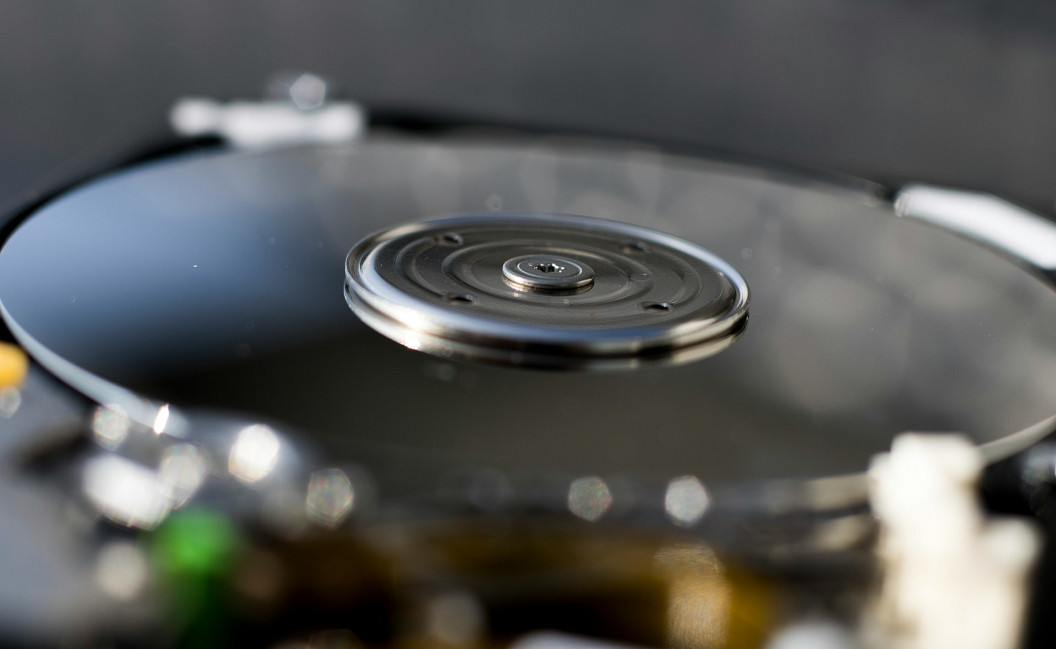
Have you ever been in the middle of breaking news coverage when your laptop suddenly froze, crashed, or refused to boot? It is a nightmare scenario for any reporter trying to file updates on the fly.
Technical failure during a major story can cost you accuracy, momentum, and even the scoop itself. That is why understanding how to protect your system matters just as much as protecting your notes. This article explains why disk imaging is a lifesaver when every second counts.
What Disk Imaging Really Does
Disk imaging captures an entire system in one snapshot, giving you a complete and ready-to-restore copy of everything on the machine. This includes the operating system, applications, settings, and even the hidden partitions that file-based backups miss. With cloning, you get an immediate twin of your system that can boot up right away without any extra setup.
When news teams rely on multiple devices in the field, a full image keeps every workstation consistent. A single image reduces user setup time and lowers the chance of missing tools during fast deployments. Here are a few advantages newsrooms rely on during intense reporting:
- Fast system rebuilds
- Consistent software setups
- Reliable recovery under pressure
How Imaging Supports Breaking News Workflows
Field reporting often means unpredictable conditions, and equipment failure can happen anywhere. Disk imaging makes it possible to spin up a working machine in minutes, which keeps teams moving even if hardware fails, gets damaged, or ends up in the wrong hands. It also protects sensitive files by preserving the exact state of a device at a specific moment, which supports chain of custody needs during sensitive investigations.
Choosing the right tool matters, and many teams look for features like reliability, scheduling, and restore testing. That is where resources that help you learn how to clone your PC naturally fit into the process of selecting trusted methods for imaging and recovery, especially when news teams handle equipment across multiple locations.
Common Pitfalls to Avoid
Many people overlook how easily a single mistake can compromise an image during a crisis. Encrypted drives often cause restore failures when not prepared correctly. Untested images can also leave teams without a usable backup when they need it most, especially when reporters depend on fast system recovery.
Encrypted Drives
If encryption is not handled correctly during imaging, the restored system may require additional recovery steps or keys. These extra steps can slow down urgent reporting workflows when time is already tight.
Untested Restores
Many people create images and never test them. Running a quick restore test ensures your image actually boots and helps protect the speed and accuracy needed during breaking news situations.
Keeping Your Reporting Ready for Anything
Disk imaging plays a crucial role in keeping news teams focused on the story rather than scrambling to fix devices. Reliable images give reporters confidence that their systems can bounce back quickly, even in unpredictable situations.
When every moment matters, having dependable recovery methods makes all the difference for fast-moving coverage. If you want to strengthen your own setup, explore our related guides and continue building a workflow that supports you during the next big headline.



-
 Legal1 week ago
Man shot and killed by police after pointing gun at people in Austin, Texas
-
 World1 week ago
Death toll from wildfire in southern Spain rises to 13
-

 Politics1 week ago
U.S. sanctions 10 Cuban entities over repression and regime funding
-
 Legal7 days ago
Muslim mall worker critically injured in stabbing over his religion
-

 Legal7 days ago
New Mexico detective convicted of helping drug trafficker evade DEA operations
-
 Legal16 hours ago
Sinaloa Cartel leader ‘El Mayo’ sentenced to life in U.S. prison
-

 Legal1 week ago
New York man arrested after livestreaming threats to kill Donald Trump Jr.
-
 Legal1 week ago
Austin police release footage of fatal shooting of man who pointed gun at bystanders