
Reviews
What Major Cyberattacks Teach Everyday Users About Online Privacy

Cybersecurity headlines often feel distant from everyday life.
Large data breaches, ransomware incidents, attacks on government systems, and major corporate disruptions receive attention because they are serious. They affect institutions, customers, infrastructure, and sometimes entire industries.
For ordinary internet users, however, the lesson is not always that they should fear the same kind of attack.
Most people are unlikely to face the kind of sophisticated operation that targets a major company or public agency. Their risks are usually smaller, more routine, and much closer to home.
A suspicious email. A reused password. A public network used for a sensitive login. An app permission that has been open for years.
Major cyberattacks matter because they show how valuable digital access has become. But the risks most users can act on are often the everyday habits sitting directly in front of them.
Big Incidents Get Attention. Small Habits Create Exposure.
Large cyberattacks are memorable because they are dramatic.
The numbers are big. The organizations are recognizable. The consequences are easy to understand. When a hospital system, government office, or large company is affected, the story naturally becomes news.
Personal digital risk usually works differently.
It rarely begins with a dramatic breach. More often, it starts with a decision that feels ordinary at the time. Someone uses the same password across several services. A person clicks a login link because it looks like a delivery update. A user accepts an app permission and never reviews it again.
None of these actions feel like a crisis.
That is why they are easy to ignore.
The most useful takeaway from major cybersecurity stories is not panic. It is perspective. Digital systems are valuable, and access to them deserves more attention than most people give it.
Phishing Works Because It Looks Normal
Many users still imagine phishing attempts as obvious scams.
Poor spelling, strange formatting, unrealistic promises, and suspicious links used to make many fraudulent messages easier to spot. Some still look that way.
But many modern phishing attempts are designed to appear ordinary.
They imitate account alerts, delivery updates, meeting invitations, file-sharing notifications, payment messages, or security warnings. They reach people when they are distracted, tired, or already expecting something similar.
That timing matters.
A fake delivery text is more convincing when someone is waiting for a package. A fake document link is more likely to be opened when a person is rushing through work. A fake banking notice feels more urgent when someone has just made a payment.
Phishing does not always succeed because users lack knowledge.
It often succeeds because it appears during a moment when they do not have time to examine it closely.
Account Security Is More Connected Than It Seems
A single account problem can quickly affect more than one service.
Email accounts can reset passwords for other platforms. Cloud storage may hold contracts, identification documents, photos, and work files. Social accounts may connect to payment methods or business pages. Work accounts may provide access to company systems.
This is why reused passwords and weak recovery methods create more risk than many users realize.
If one password is exposed and reused across several services, attackers do not need to break every system. They only need to try the same credentials elsewhere.
The damage depends not only on the account that was compromised, but on what that account connects to.
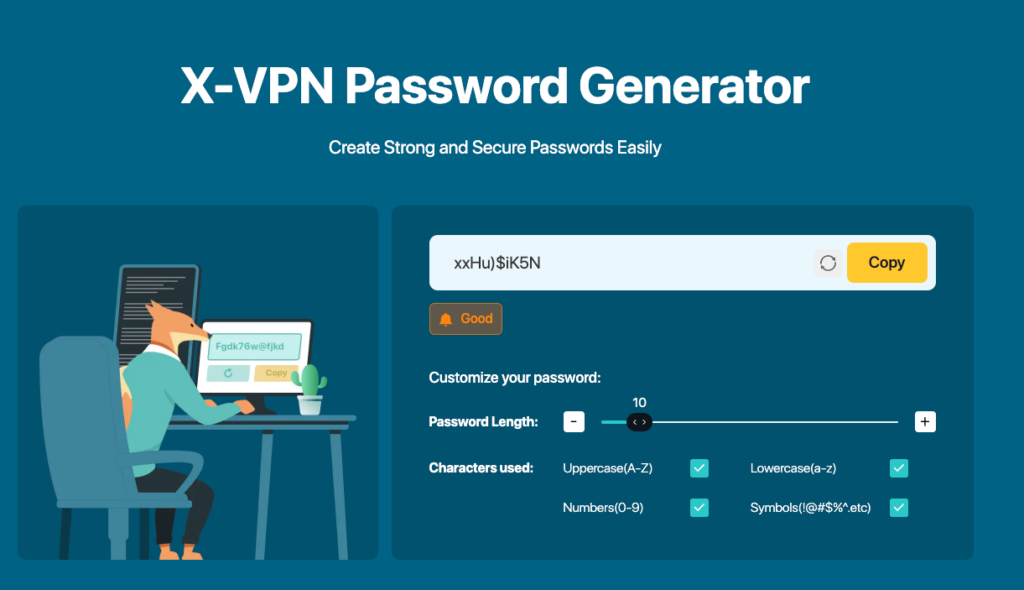
For everyday users, one of the most practical privacy habits is separating important accounts from low-value accounts. Email, banking, payment, work, and cloud storage should not rely on the same login habits used for casual forums, shopping accounts, or entertainment services. Using a trusted password generator can also help people avoid weak or repeated passwords when setting up new accounts.
This is less about being highly technical and more about preventing one problem from spreading.
Public Networks Change the Risk Environment
Public Wi-Fi is not automatically dangerous.
The problem is that users often treat it exactly like a home network.
At home, people usually understand who controls the connection. They know the router, the password, and the devices that normally use it. In a hotel, airport, café, or shopping center, the situation is different.
The network may be managed by the venue, a third-party provider, or a temporary setup. Other users are connected at the same time. Security settings may vary widely.
For casual browsing, this may not matter much.
For sensitive activity, it does.
Checking a map, reading the news, or browsing a public website is not the same as logging into a financial account, changing a password, accessing work files, or sending private documents.
Public networks are part of modern life, but they require different judgment. The mistake is not using them. The mistake is using them without adjusting behavior.
Privacy Tools Work Best Before Something Goes Wrong
Many people think about privacy tools only after something feels unsafe.
By then, the situation is already more stressful. The user may be connected to an unfamiliar network, dealing with an account warning, or trying to understand whether a link or page is legitimate.
The better approach is to treat basic privacy protection as part of normal digital life.
For users who want to reduce exposure on public networks, protect browsing activity, and create safer connection habits, free vpn as privacy tools can be part of a broader personal security routine.
Tools such as X-VPN are often discussed in the context of encrypted browsing, safer network access, and everyday online privacy. They cannot identify every scam or fix every weak account habit, but they can support a more cautious approach to connecting through networks users do not fully control.
The goal is not to make internet use complicated.
It is to reduce the number of moments where users have to make important security decisions under pressure.
Everyday Security Should Feel Practical
Cybersecurity does not need to feel like a topic reserved for experts.
For most users, the most effective habits are ordinary: protect important accounts, avoid reusing passwords, slow down around unexpected login requests, review app permissions, and treat public networks differently from trusted private ones.
These steps do not make a person immune to every risk.
Nothing does.
But they reduce exposure in the areas where ordinary users are most likely to make mistakes.
Major cyberattacks will continue to make headlines. They deserve attention because they show how serious digital security failures can become. But for everyday users, the more useful lesson is closer to home.
The risks most worth reducing are often the ones that appear in normal life: a familiar-looking message, an old password, an open permission, an unfamiliar network, or an account recovery method that has not been checked in years.
Online privacy improves when people stop treating security as a reaction to bad news and start treating it as a practical part of using the internet well.


Death toll from Venezuela earthquakes rises to nearly 5,000

When Is It Time to Consider a Wig? Understanding the Signs and Benefits

How Consumer Shifts Are Redefining Personal Aesthetics

States Expand Bank Powers to Combat Rising Elder Financial Abuse
-

 Legal6 days ago
Man shot and killed by police after pointing gun at people in Austin, Texas
-

 World5 days ago
Death toll from wildfire in southern Spain rises to 13
-

 Politics4 days ago
U.S. sanctions 10 Cuban entities over repression and regime funding
-

 Legal1 week ago
Maryland man sentenced to 15 years for trying to join ISIS, plotting U.S. attack
-

 Legal3 days ago
Muslim mall worker critically injured in stabbing over his religion
-

 Legal3 days ago
New Mexico detective convicted of helping drug trafficker evade DEA operations
-

 Legal4 days ago
New York man arrested after livestreaming threats to kill Donald Trump Jr.
-

 Legal4 days ago
Austin police release footage of fatal shooting of man who pointed gun at bystanders