
Reviews
Designing Posters for Virtual Concerts and Webinars with AI

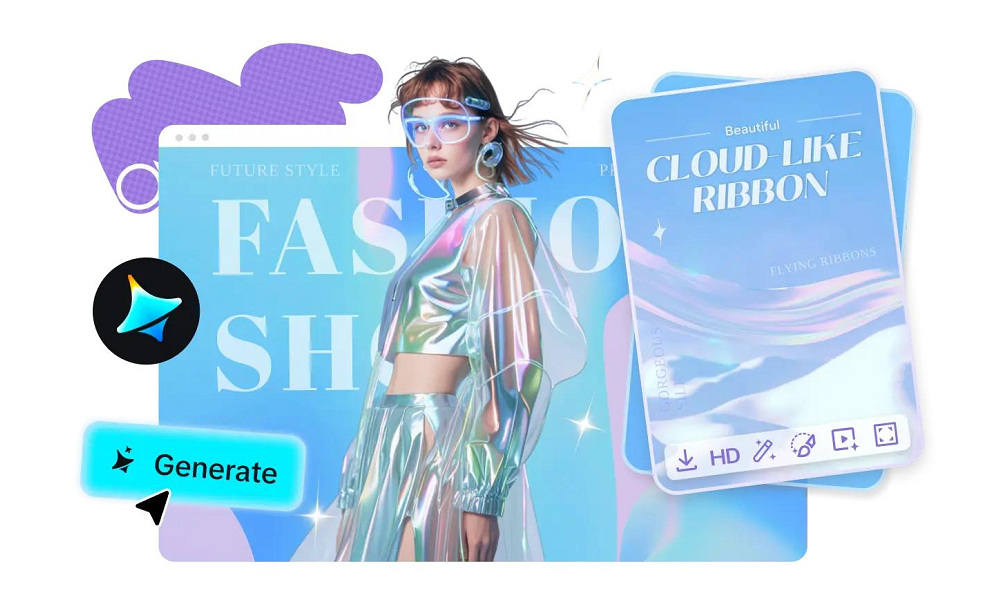
People are more likely to attend an online event if its promotional material is visually appealing. In this digital-first world, creating attention-grabbing posters for virtual concerts and webinars is a must. But what if you don’t have professional design skills or a big budget? No worries, AI image generator can be your creative shortcut to creating posters that attracts the viewers. In this blog, we’ll walk you through how AI can revolutionize your poster design process, making it simple, efficient, and fun.
Why your online event needs a poster design
When it comes to virtual concerts and webinars, your poster is the first impression of your event. A compelling design not only attracts attention but also sets the tone for what attendees can expect. A dull or cluttered poster? Instant turn-off. A vibrant, well-organized one? You’ve got a potential audience hooked.
Here’s where AI tools come into play. They help you:
- Save time: No need to spend hours learning design software.
- Ensure quality: Generate professional-grade designs effortlessly.
- Customise easily: Tailor every element to match your event’s theme.
A detailed guide to creating a captivating poster design
Start with a concept
Every great poster begins with a solid idea. Think about your virtual concert or webinar:
- What’s the theme?
- Who’s the target audience?
- What mood or vibe do you want to convey?
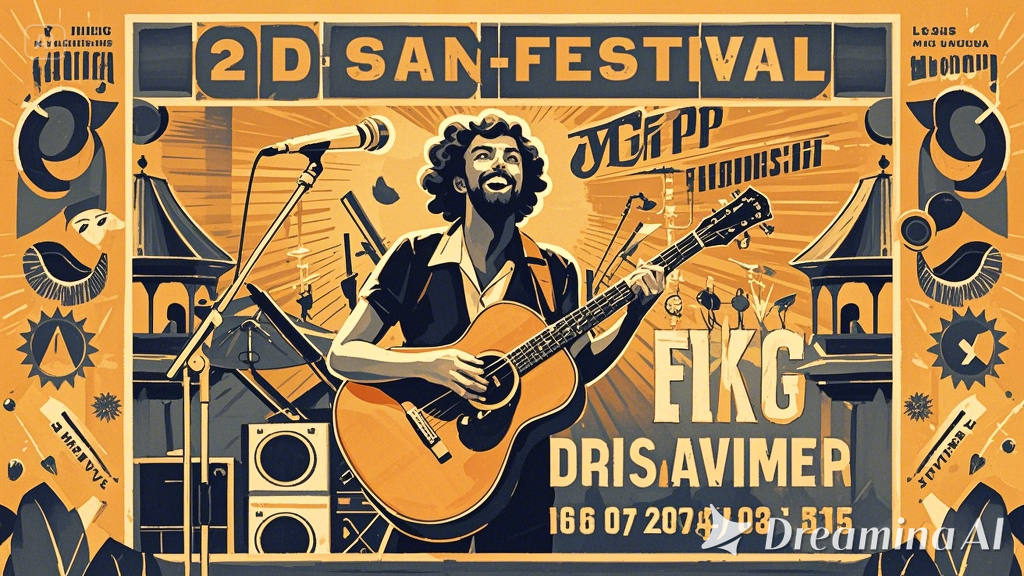
For example, a tech webinar can call for sleek, modern visuals, while a virtual concert could benefit from bold, artistic elements. AI tools like an AI image generator can bring your concept to life by producing visuals that match your theme. You simply input keywords like “future of AI webinar” or “vintage music festival” and get images tailored to your vision.
Choose the right color palette and typography
Colors and fonts play a huge role in setting the tone of your poster. Bright, contrasting colors work well for concerts, while softer tones might suit a professional webinar.
AI tools make this step a breeze:
- Color suggestions: Tools suggest palettes based on your theme.
- Font matching: They recommend fonts that complement your chosen visuals.
Add a professional touch with logo generators
If your event has a brand or sponsor, incorporating a logo can make your poster look polished and credible. But what if you don’t have one? AI logo generator can create logos in different styles to suit your event’s branding. You can customize elements like colors, shapes, and fonts without needing a graphic designer. Adding a bespoke logo not only enhances the poster’s appeal but also helps with branding consistency across other event materials.
Structure your poster
Now that you have the elements ready, it’s time to arrange them effectively. A well-structured poster includes:
- Headline: The event name, bold and attention-grabbing.
- Subheadings: Key details like the date, time, and platform (e.g., Zoom or YouTube).
- Call-to-action: Encourage attendees to register or book tickets.

Incorporate visuals and imagery
Strong visuals are at the heart of any impactful poster. When choosing images, make sure they are:
- Relevant: Reflect the event’s theme and purpose.
- High quality: Blurry or pixelated images can ruin the overall design.
If your chosen image isn’t high resolution, don’t worry. Tools for image upscale can enhance the quality of your visuals, ensuring they look crisp and professional even when printed. These tools use AI to sharpen details, making your images look sharper without losing their essence.
Add finishing touches
Details make all the difference. Once the main design is complete, refine your poster by:
- Adjusting contrast and brightness: Ensure all elements stand out.
- Adding effects: Subtle gradients or shadows can add depth.
- Reviewing spacing: Make sure there’s enough room between text and visuals for clarity.
Test and share
Before finalizing your poster, ask for feedback from colleagues or friends. Sometimes a fresh pair of eyes can catch minor errors or suggest improvements.
Once you’re happy with the design, share it across platforms:
- Social media: Instagram, Facebook, LinkedIn.
- Emails: Attach the poster to your event invites.
- Event pages: Upload it to platforms like Eventbrite.
Designing impactful posters with Dreamina
Let’s break down the steps to help you design the perfect poster for your virtual event with Dreamina
Step 1: Enter your prompt
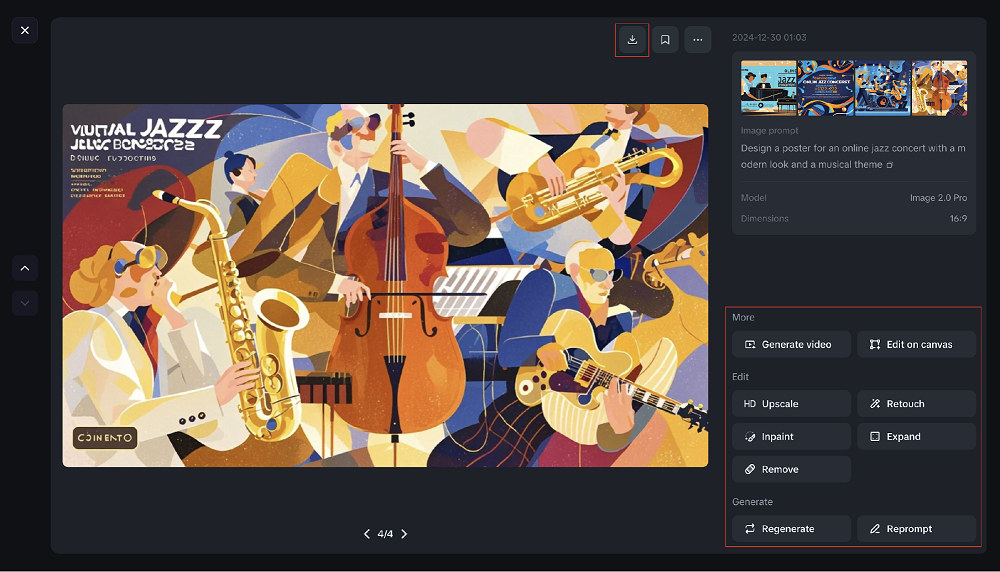
Start by describing your vision for the poster. For example: “Design a poster for an online jazz concert with a modern look and a musical theme.”
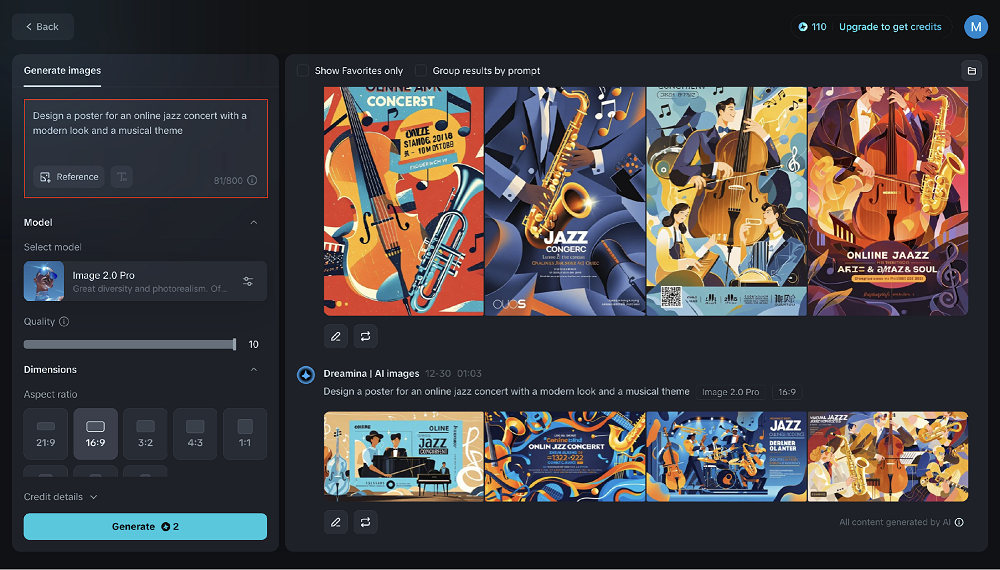
Step 2: Select size and generate
Choose the Dreamina model, dimensions, and quality that fit your needs. Once you’re ready, click “Generate,” and Dreamina will provide multiple design options to choose from.
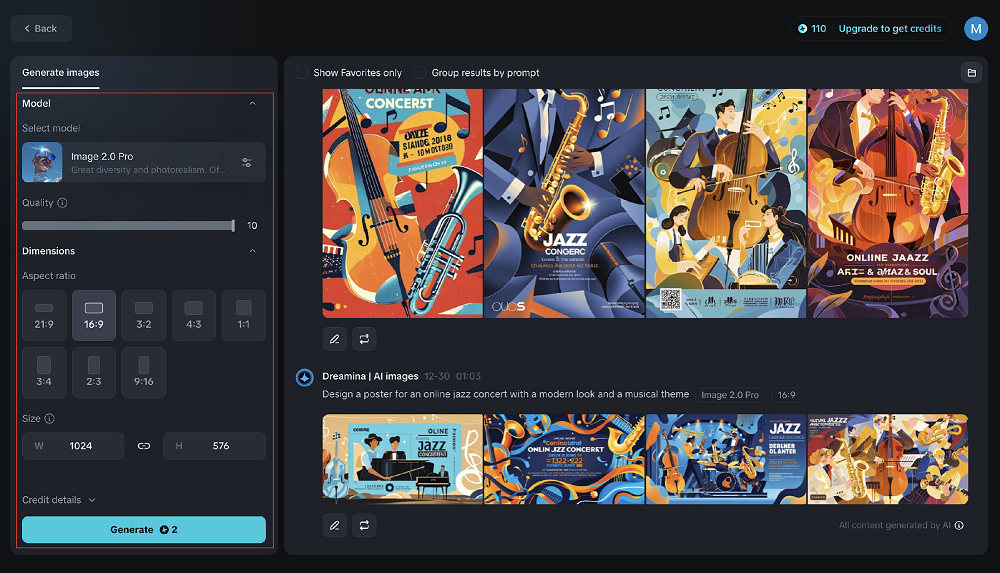
Step 3: Customize, save, and publish
After generating your poster, fine-tune it using tools like retouching, inpainting, or remove. Save the final version in your preferred format and start using it to promote your event.
Conclusion
Designing posters for your virtual events doesn’t have to feel overwhelming. With Dreamina, you have a simple and smart tool that brings your ideas to life effortlessly. Dreamina helps you create eye-catching designs that grab attention, whether it’s a fun concert or a professional webinar. Why not give it a try and see how Dreamina can make your next event even more amazing?

Suspect sought after Kansas City shooting spree kills 1, injures 4

2 men charged in separate threats to kill Trump

Texas man convicted over threat to attack Washington, D.C.

Authorities release new details on White House UFC attack plot
-
 World1 week ago
Man seriously injured in attempted beheading in Northern Ireland
-
 World4 days ago
Tren de Aragua leader killed in U.S. strike in Venezuela
-
 World4 days ago
Woman dies after being thrown from bridge without bungee cord in Brazil
-
 Legal1 week ago
Arizona man convicted of threatening to kill Trump and Harris
-

 Legal1 week ago
Man kills 4 family members at home in Livonia, Michigan
-
 Legal1 week ago
Montana man charged with threatening Hawaii governor and his family
-
 US News1 week ago
Man attacked by shark at Florida Navy base
-
 Legal1 week ago
North Carolina teen sentenced for school shooting threats over Charlie Kirk posts