
Reviews
How to Convert OST to PST Online without Outlook?

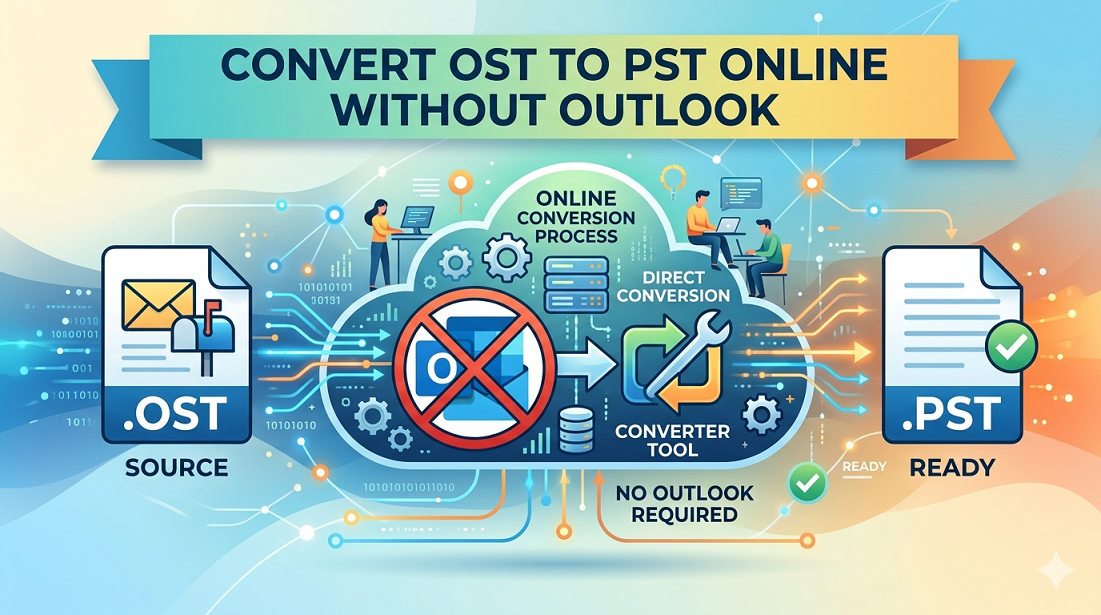
When you setup or configure your Outlook account with an Exchange account, IMAP account, or Microsoft 365 account, then an Offline Storage Table file or OST file gets automatically created to store your mailbox items in your local system. This file gets directly associated with the account in which it has been created. Therefore, in case your Outlook account gets unavailable, then you have to convert your OST file to PST file format to access your data.
However, to convert OST to PST without Outlook, you need to take the help of a specialized OST to PST converter software. There are several such tools available on the internet. In this guide, we will mentioning one such reliable tool that can convert OST to PST with complete data integrity.
Why you need to Convert OST File to PST without Outlook?
There are several situations where you need to convert your OST file to PST format. Some common ones are:
- Outlook is not working or won’t open
- Lost access to the Exchange/Microsoft 365 mailbox
- Exchange Server is unavailable
- Accidently deleted your Outlook profile
- To migrate mailbox data to another system or Outlook account
- To access mailbox data in a portable format
Ways to Convert OST File to PST without Outlook:
In case your Outlook is not working, then you can use an online OST to PST converter tool to convert your OST file. Although there are many OST to PST converter tools available online, one of the reliable and simple tools is the online OST to PST converter by Stellar. This tool helps you to convert orphaned/inaccessible OST files into PST format without requiring Outlook. With its simple and easy-to-use interface, you can quickly convert OST to PST file. This online converter tool efficiently converts all your emails and other mailbox items into PST file while maintaining the original hierarchy of folders.
Below are the key features of this online OST to PST converter tool:
- Convert OST files without installing Outlook
- Supports inaccessible or orphaned OST files
- Offers preview of converted mailbox items in HTML format
- Keeps emails, folders, and attachments intact
- User-friendly interface
- Ensures safe and secure file conversion
- Does not require installation of Outlook application
Now, let’s see how you can convert an OST file to PST by using the online OST to PST converter by Stellar.
– Launch your preferred web browser.
– Open web based Free Online OST to PST converter by Stellar.
– Sign up and click on Upload OST File to select the OST file that you want to convert.
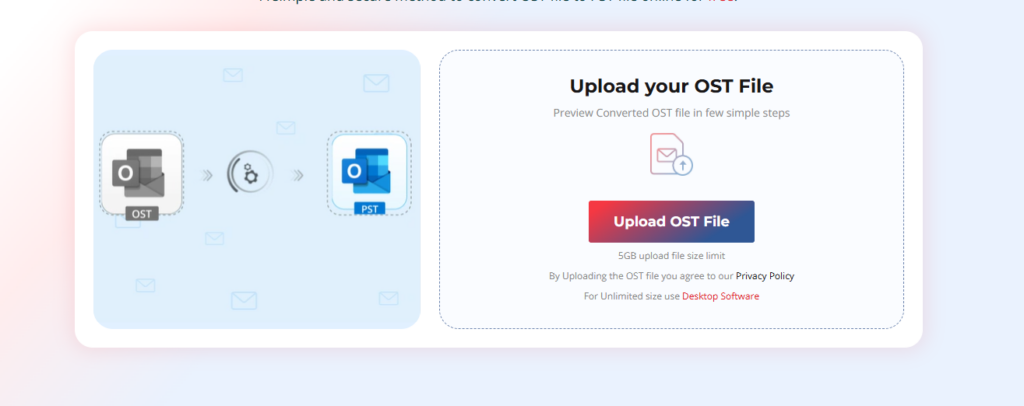
– Browse your system, locate the required OST file, and select it.
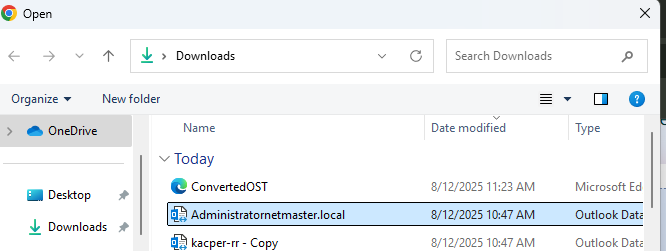
– Then, click Open. The file will begin uploading.
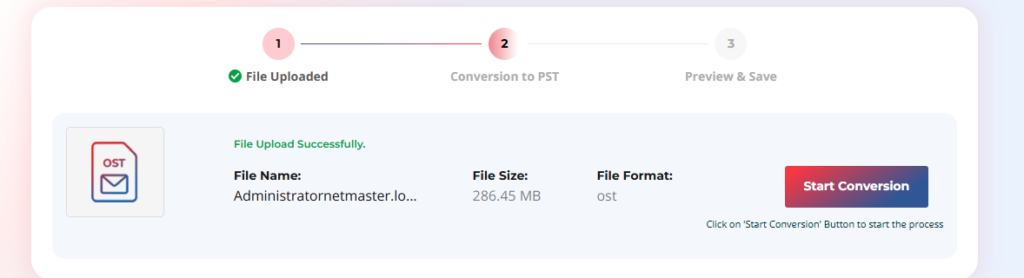
– After the upload is complete, click Start Conversion. The tool will start scanning and converting the OST file. You can monitor the progress on the screen.
– Once the conversion process is finished, you will see two options: Preview and Save PST File.
— You can click on Preview to review the converted mailbox items in HTML format.
— Click on Save PST File to download the converted file.
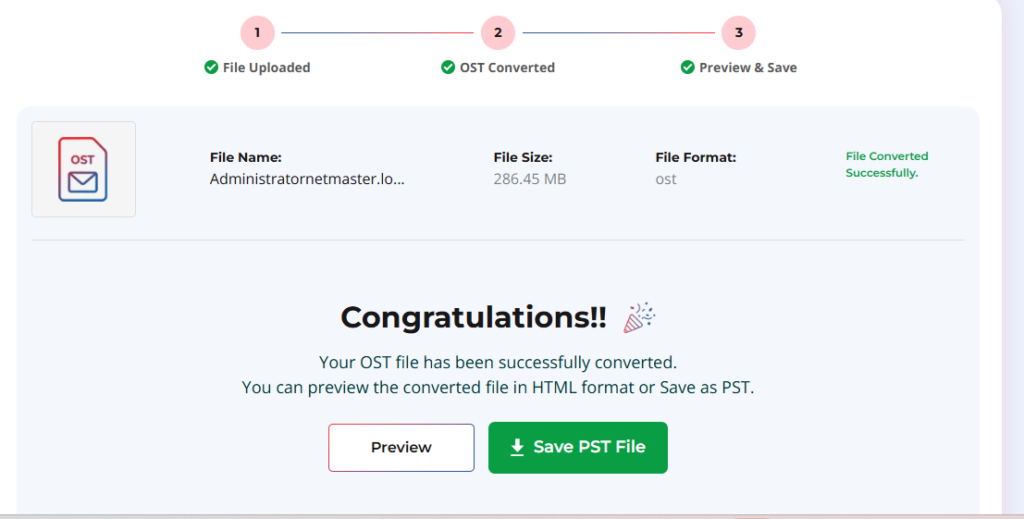
Note: You can convert OST file of up to 500 MB for free. If your OST file is larger, you should upgrade to the premium version of this tool.
The converted PST file will be saved in the Downloads folder. Now, you can easily import it into any Outlook profile/account by using the Import/Export wizard feature.
If you want to convert OST files to PST without any file size limitations, then you can use the desktop version – Stellar Converter for OST. In addition to PST format, this powerful OST to PST converter tool also allows to save the converted OST file items in file formats, such as HTML, PDF, EML, etc.
Conclusion
If your Outlook is working, you can convert your OST file to PST by using the application’s Import/Export wizard feature. But for converting the OST file without Outlook, you have to use a specialized OST to PST converter tool. As mentioned above, you can use the online OST to PST converter tool by Stellar. This online tool offers a fast and secure way to convert OST file (up to 500 MB) to PST for free.
If you want to convert OST file without any file size limitations, then you should opt for its desktop version – Stellar Converter for OST. It can convert large OST files by maintaining the original folder structure and hierarchy.


Magnitude 6.7 earthquake strikes near Palu, Indonesia

Florida sues TikTok over children’s access to app

1 killed, 5 injured in explosion at Miami-Dade repair facility

Military personnel and Boeing employees among 8 killed in B-52 crash at Edwards AFB
-

 World1 week ago
Man seriously injured in attempted beheading in Northern Ireland
-

 World2 days ago
Tren de Aragua leader killed in U.S. strike in Venezuela
-

 World2 days ago
Woman dies after being thrown from bridge without bungee cord in Brazil
-

 Legal5 days ago
Arizona man convicted of threatening to kill Trump and Harris
-

 Legal5 days ago
Montana man charged with threatening Hawaii governor and his family
-

 Legal5 days ago
Man kills 4 family members at home in Livonia, Michigan
-

 US News6 days ago
Man attacked by shark at Florida Navy base
-

 Legal6 days ago
North Carolina teen sentenced for school shooting threats over Charlie Kirk posts