
Reviews
The Role of Workforce Analytics Software in Employee Productivity

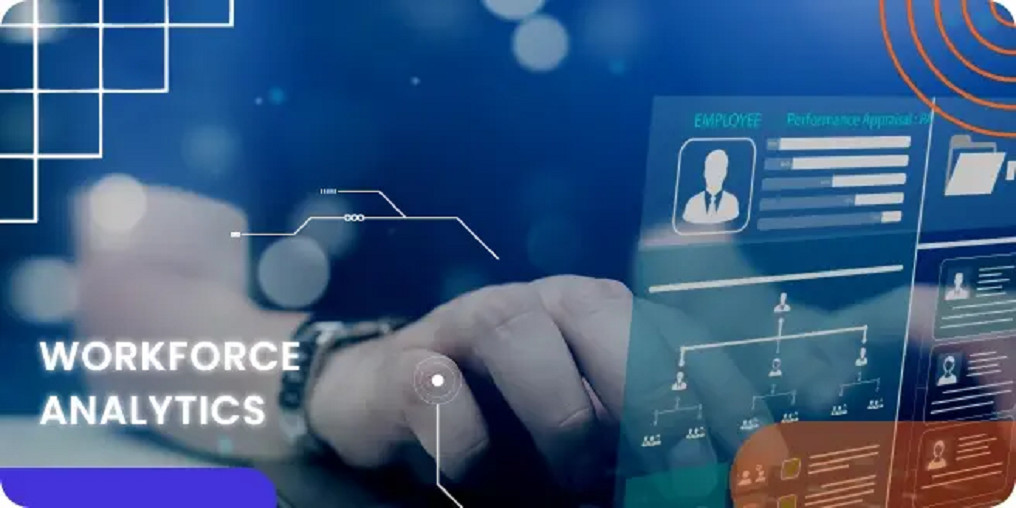
Nowadays, organizations are relying on insights to enhance efficiency and employee performance. Workforce analytics software plays a crucial role in this transformation by turning raw HR data into meaningful information that helps leaders understand, measure, and improve productivity across teams. With advanced analytics and automation, this technology goes beyond tracking attendance; it empowers smarter decisions that align people, processes, and performance.
What Is Workforce Analytics Software?
Workforce analytics software is a digital tool that collects, organizes, and analyzes employee-related data to reveal patterns in performance, engagement, and behavior. It integrates information from HR systems, payroll, performance management, and collaboration platforms to provide a complete view of workforce dynamics.
Unlike traditional spreadsheets, this workforce optimization software uses predictive models and dashboards to deliver real-time insights. Managers can identify productivity bottlenecks, skill gaps, and workload imbalances, allowing them to make proactive decisions rather than reactive ones.
How Workforce Analytics Enhances Employee Productivity
1. Data-Driven Decision-Making
Every organization has employee data, but few use it effectively. Workforce analytics software helps leaders analyze metrics such as attendance, output, training hours, and task completion rates. This visibility allows managers to spot trends, recognize top performers, and identify areas for improvement, leading to informed, strategic decisions.
2. Optimized Resource Allocation
One of the key benefits of workforce optimization software is its ability to balance workloads. By tracking project timelines and employee availability, it ensures resources are distributed efficiently. Overworked employees are given relief, while underutilized ones are engaged in meaningful tasks. This balance prevents burnout and maintains consistent productivity levels.
3. Enhanced Employee Engagement
Engaged employees are productive employees. Workforce analytics platforms monitor engagement levels by analyzing factors like feedback, absenteeism, and turnover rates. HR teams can then act on these insights to implement wellness programs, recognition initiatives, or flexible schedules that foster higher morale and motivation.
4. Predictive Insights for Future Planning
Predictive analytics uses historical data to forecast future workforce trends. For example, it can anticipate periods of low productivity or predict which employees might leave based on performance dips or disengagement. With this information, companies can plan reskilling programs or hiring initiatives ahead of time, minimizing disruptions.
5. Real-Time Monitoring and Reporting
Modern workforce analytics tools provide real-time dashboards that visualize data instantly. Managers can track employee hours, task progress, and overall performance metrics from a single interface. This transparency builds accountability and ensures quick corrective actions when performance issues arise.
Key Features of Workforce Analytics Software
To truly drive productivity, a workforce analytics solution should include:
- Comprehensive dashboards for visualizing KPIs like performance, attendance, and engagement.
- Integration capabilities with HR, payroll, and CRM systems for unified data.
- AI and machine learning to uncover hidden patterns and generate predictive insights.
- Custom reports that help HR and leadership teams track progress toward goals.
- Data security features such as encryption and access control to protect employee information.
These features allow HR and leadership to make decisions backed by accurate, timely, and secure data.
The Connection Between Workforce Optimization and Business Growth
Productivity is not just about working harder; it’s about working smarter. Workforce optimization software helps organizations streamline operations by automating repetitive HR tasks like attendance tracking, scheduling, and reporting. This reduces administrative workload, allowing managers to focus on performance improvement and strategic planning.
Moreover, the software encourages transparency between employees and employers. When employees know their efforts are being measured fairly and rewarded based on data, it builds trust and accountability. Over time, this leads to improved performance, better teamwork, and higher retention rates.
Implementation: How to Get Started
- Define Objectives: Identify what you want to achieve: higher productivity, lower attrition, or better scheduling.
- Select Metrics: Choose relevant KPIs such as output per employee, project completion rate, or engagement score.
- Integrate Systems: Connect HRIS, payroll, and performance data sources to create a single data ecosystem.
- Analyze and Interpret: Use the software’s analytics features to uncover trends and problem areas.
- Take Action: Develop data-backed initiatives such as training, automation, or workload reallocation.
- Review and Improve: Continuously monitor the results and refine your strategies for sustained improvement.
Conclusion
Relying on intuition alone is no longer enough. Workforce analytics software and workforce optimization software give organizations the power to make precise, data-backed decisions that enhance productivity, engagement, and overall performance. By analyzing trends, forecasting challenges, and enabling smarter workforce management, these tools transform raw data into actionable intelligence, helping businesses and employees reach their full potential together.


Hot air balloon with 10 on board crashes in Nevada; several injured

Flash flood emergency issued for compromised dam in Mississippi

Shots fired in Times Square, 1 in custody

35 killed as attackers try to storm airport in Niger’s capital
-

 World1 week ago
Man seriously injured in attempted beheading in Northern Ireland
-

 World5 days ago
Tren de Aragua leader killed in U.S. strike in Venezuela
-

 World5 days ago
Woman dies after being thrown from bridge without bungee cord in Brazil
-

 Legal1 week ago
Arizona man convicted of threatening to kill Trump and Harris
-

 Legal1 week ago
Man kills 4 family members at home in Livonia, Michigan
-
 Legal1 week ago
Montana man charged with threatening Hawaii governor and his family
-

 US News1 week ago
Man attacked by shark at Florida Navy base
-

 Legal1 week ago
North Carolina teen sentenced for school shooting threats over Charlie Kirk posts